
INSTALLATION Porsche Macan

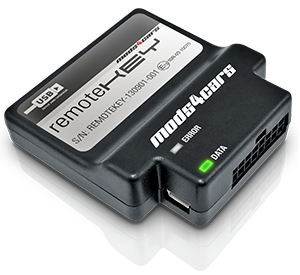
RKHBPE1
Comfort Control Module for
v1.0
Further information and manuals for all products can be found on our web site
w w w . m o d s 4 c a r s . c o m
PLEASE READ THE COMPLETE MANUAL CAREFULLY BEFORE USING THIS PRODUCT.
|
INSTALLATION Porsche Macan |
|
|
|
RKHBPE1 Comfort Control Module for v1.0 |
Further information and manuals for all products can be found on our web site w w w . m o d s 4 c a r s . c o m |
| We explicitly point out that all functions of this control unit should be used only while exercising caution and responsibility. We can NOT be held liable for any damage or injury caused by installing or using this product. PLEASE READ THE COMPLETE MANUAL CAREFULLY BEFORE USING THIS PRODUCT. |
| Important Information. READ BEFORE INSTALLING! | |
|---|---|
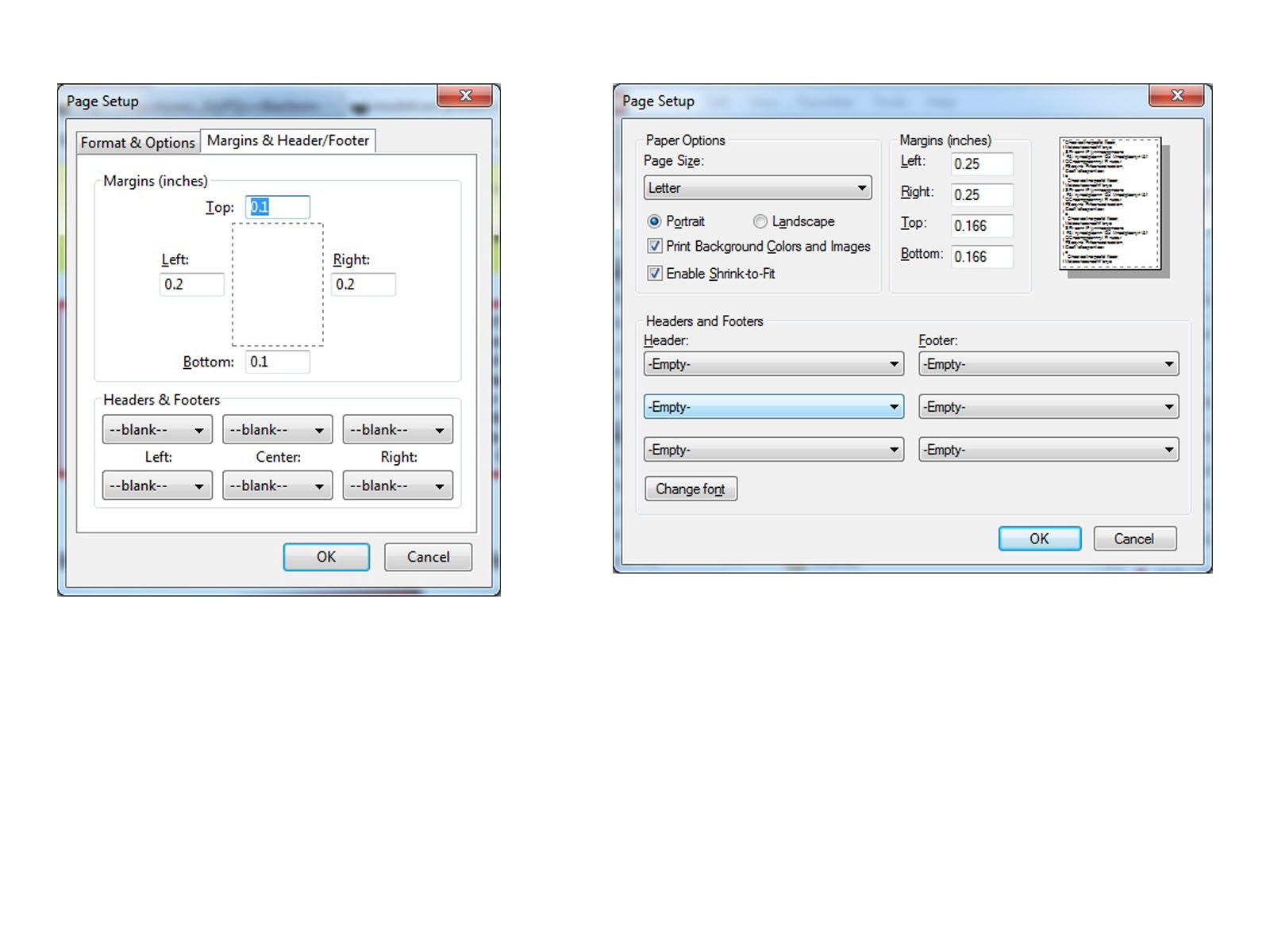
| PRINTING THIS MANUAL This manual is designed to produce completely filled pages. In order to get best print results, simply set the borders to minimum settings in the browser's page setup menu and disable headers and footers. Activate the print preview and if necessary decrease the zoom level until all pages are shown correctly. ALL IMAGES CAN BE CLICKED FOR FULL SIZE in the browser. |

| TROUBLE SHOOTING - NEED TO CONTACT US? If you run into any problems after installing the module, please go over the manual again in great detail, clicking every photo for full size! We now have a full Knowledge Base with Support Ticket system available online at www.mods4cars.com/support If you need to contact us, the best and fastest way to do so is by opening a support ticket there |
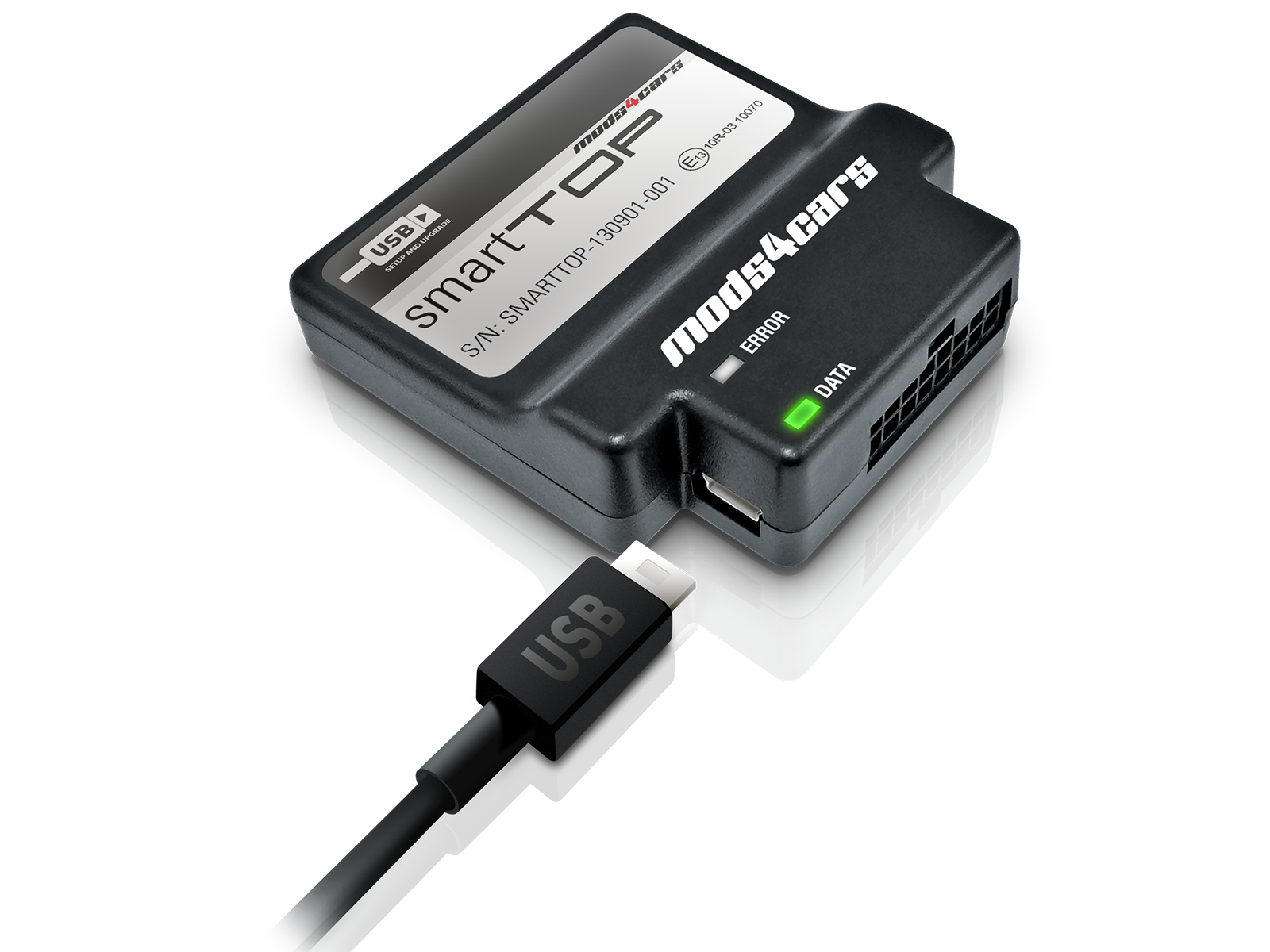
| This module comes with our USB Field Upgrade and Configuration Port! We recommend connecting it to a computer BEFORE YOU INSTALL and using our support app "m4cconnect" to do a quick firmware update check. M4cconnect as well as all other information regarding USB update and configuration can be found at www.mods4cars.com/usb. You can even configure and activate your favorite module functions and settings on screen before the module is installed in the car! It is a good idea to permanently install the USB cable with the module in the car, leaving the computer plug in an easily accessible spot for later use with a Wifi/3G/4G connected laptop. |
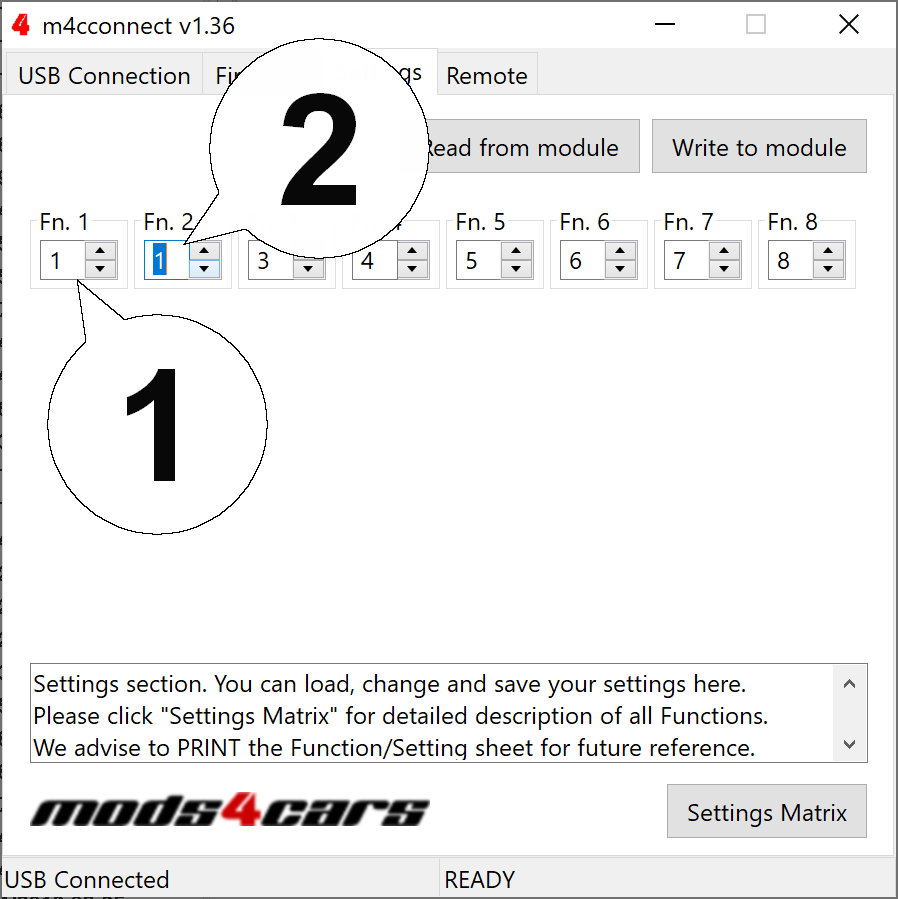
| IMPORTANT TROUBLESHOOTING TIPS If the top does not work properly or at all after installing the module, these tips can be very helpful: • 1) Turn Function 1 (Main Switch) off (Setting 0). The module will be completely passive. If the problem still persists and the top won't work, check all connections. Please also check the green DATA LED on the module! • 2) Function 2 now has a valet mode (Setting 2) on many modules. Valet mode completely disables opening of the top. Check the setting for function 2 and make sure the module is NOT in valet mode! IMPORTANT: Not all modules have the valet mode! Please check the Operation and Programming Manual! |
| Installation - Steps 1-3 | |
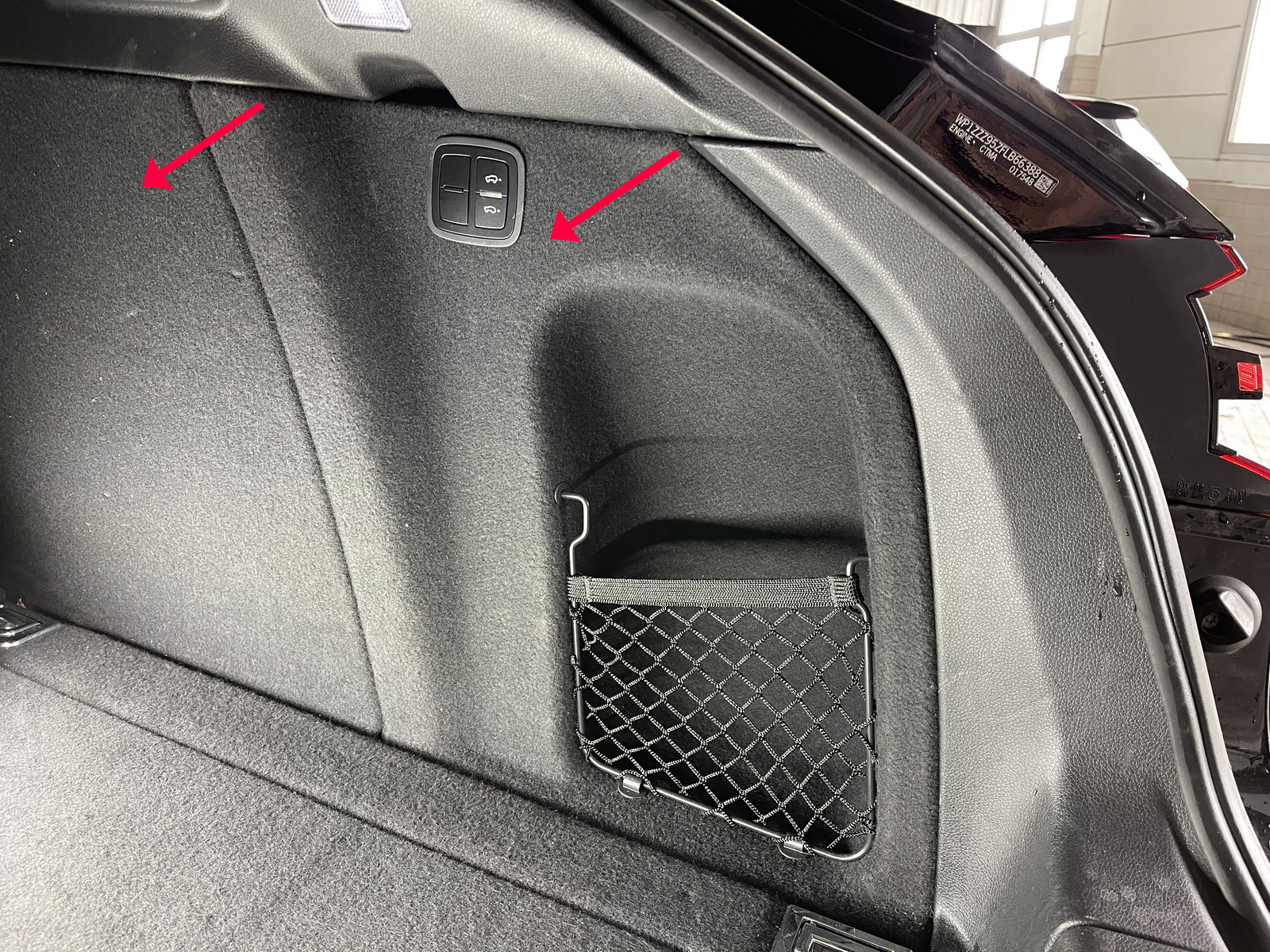
| 1. Open the trunk fully, then remove the right side panel by pulling it towards the center of the trunk. |
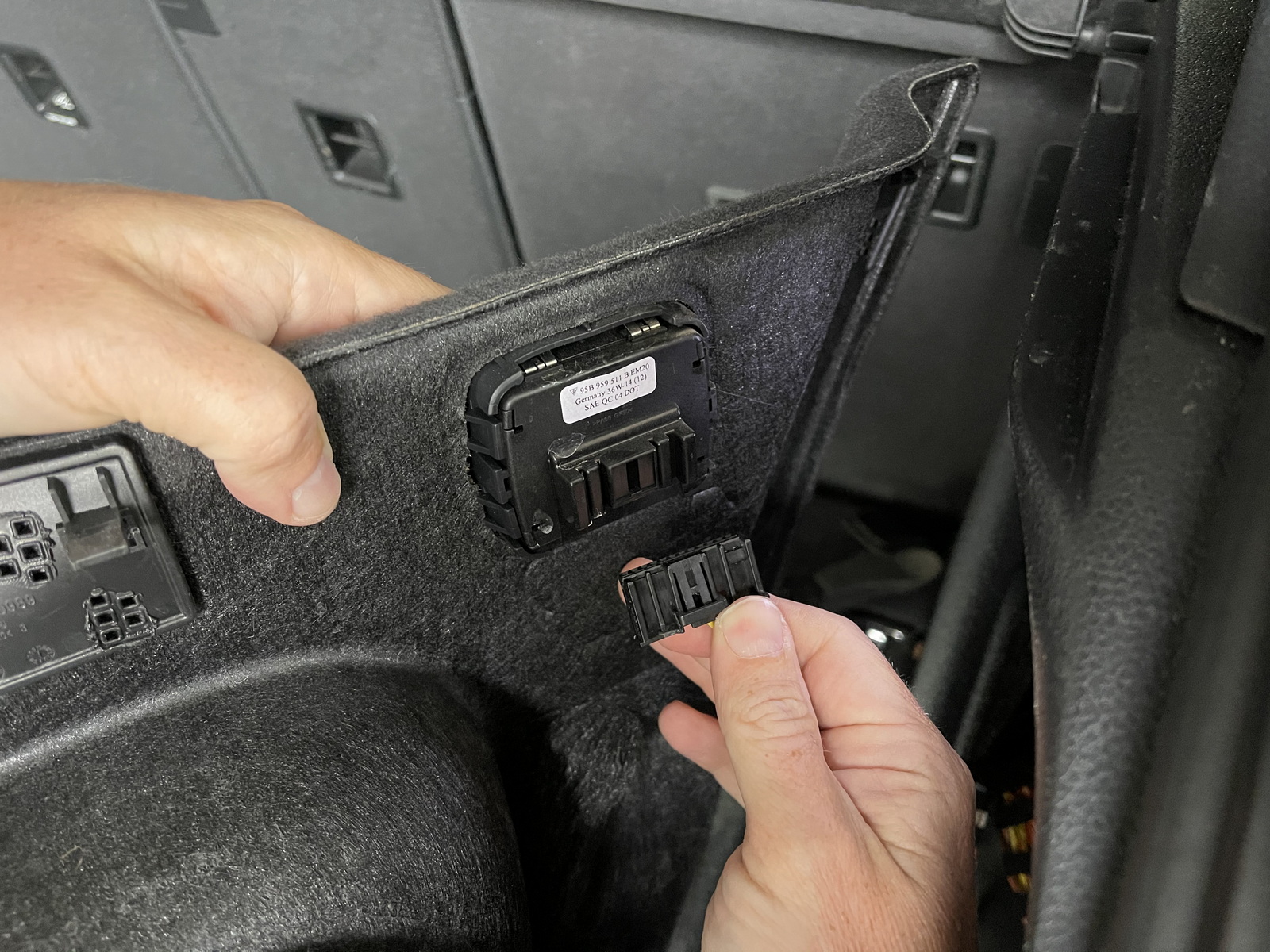
| 2. Disconnect the plug from the button panel. |
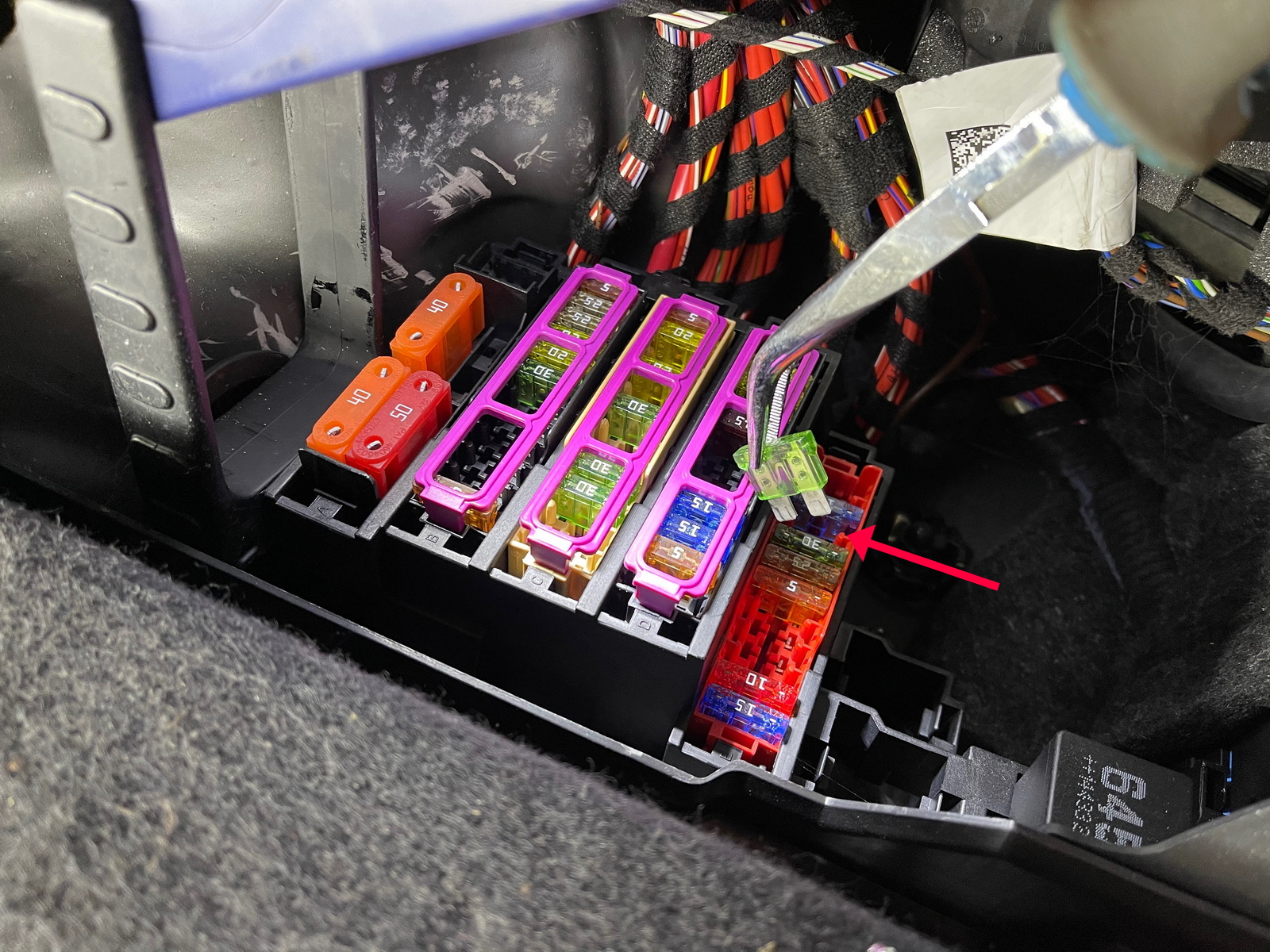
| 3. Locate the fuses on the bottom, remove the bracket and pull the fuse (Row E, Number 9) out as shown. |
| Installation - Steps 4-6 | |
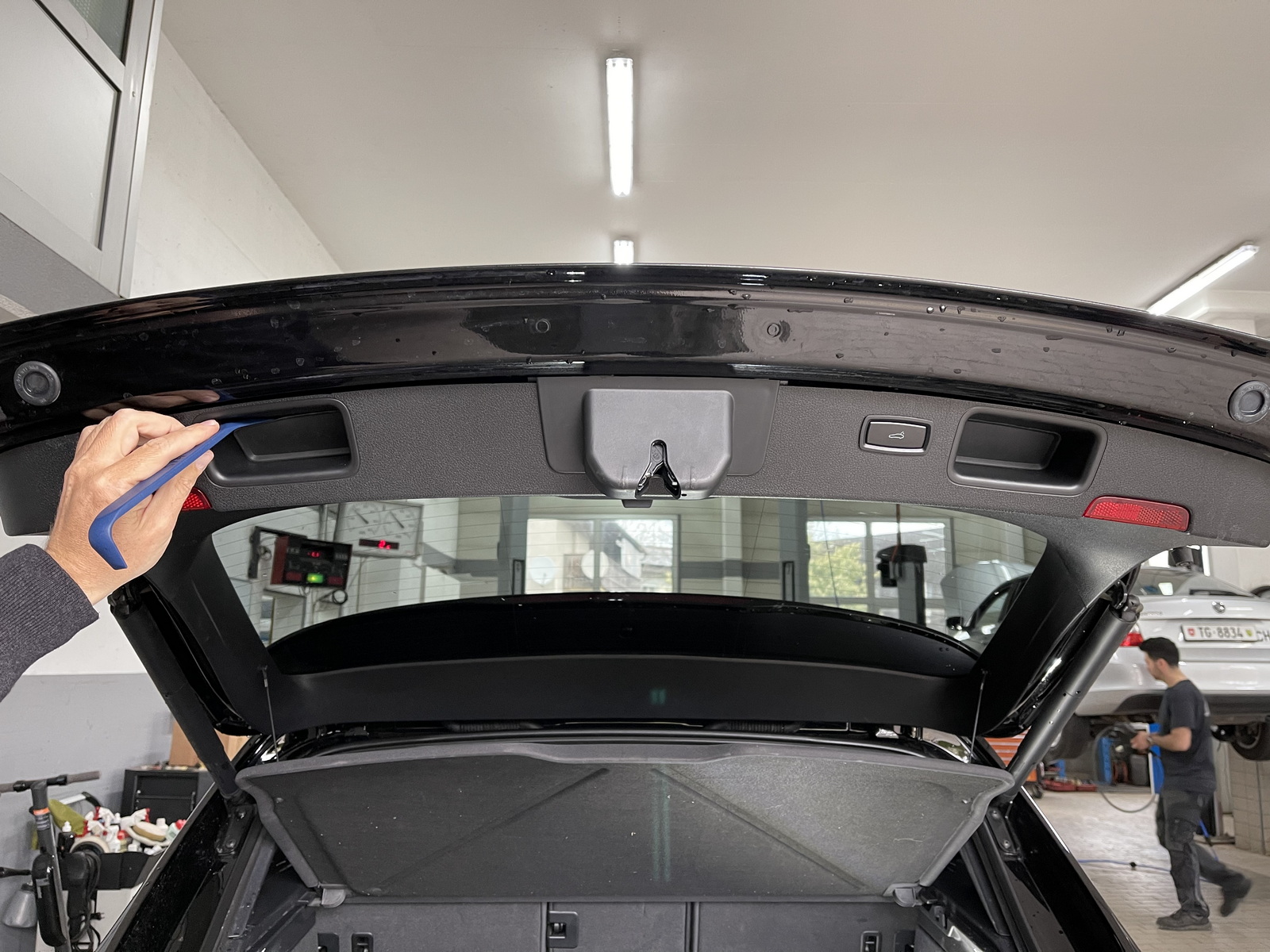
| 4. Remove the rubber bottoms out of the trunk lid handles. There are screws underneath that hold the plastic cover in place. |
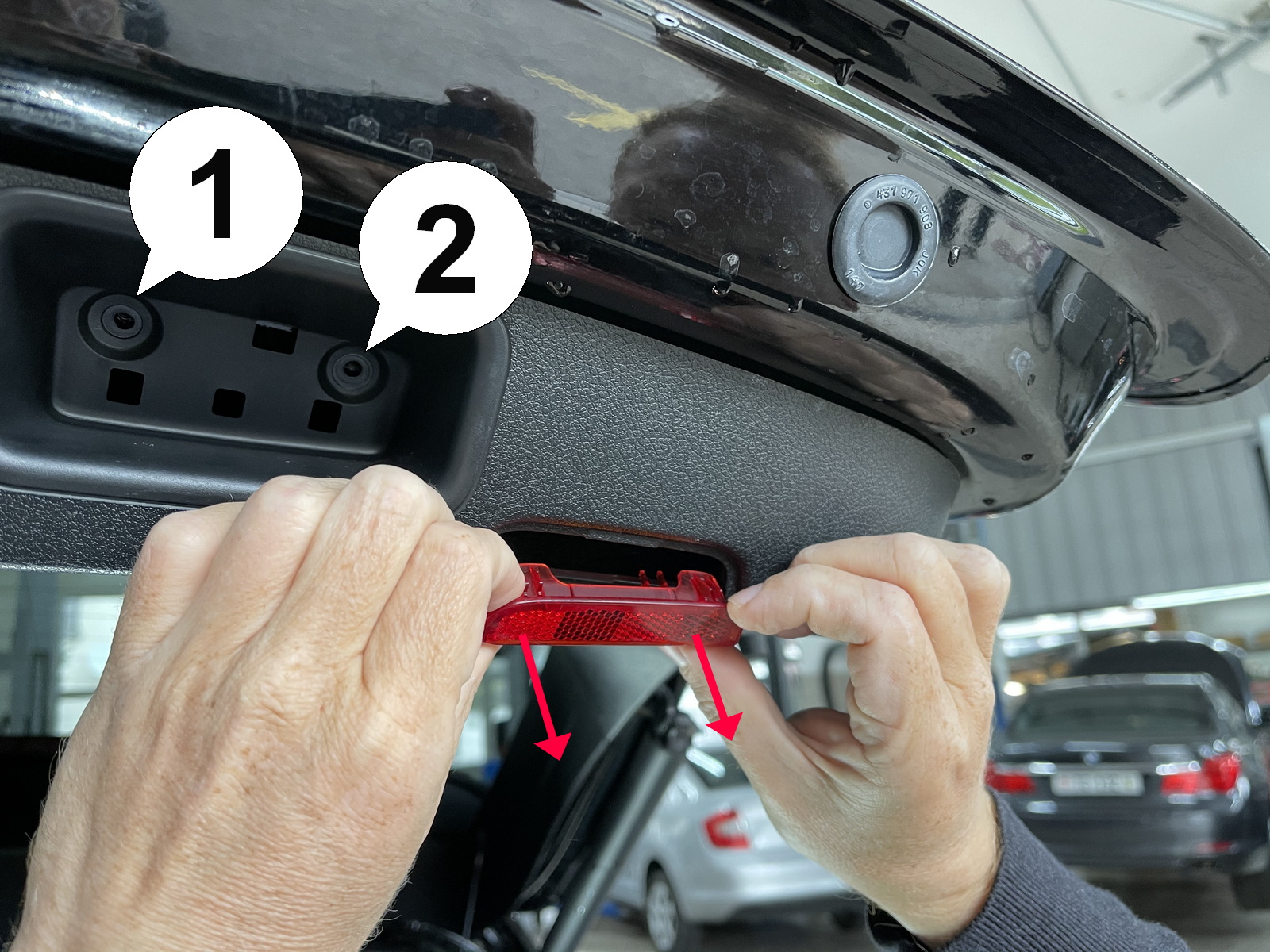
| 5. Remove the two screws (1) and (2) on both sides. Pull the red reflectors out. |
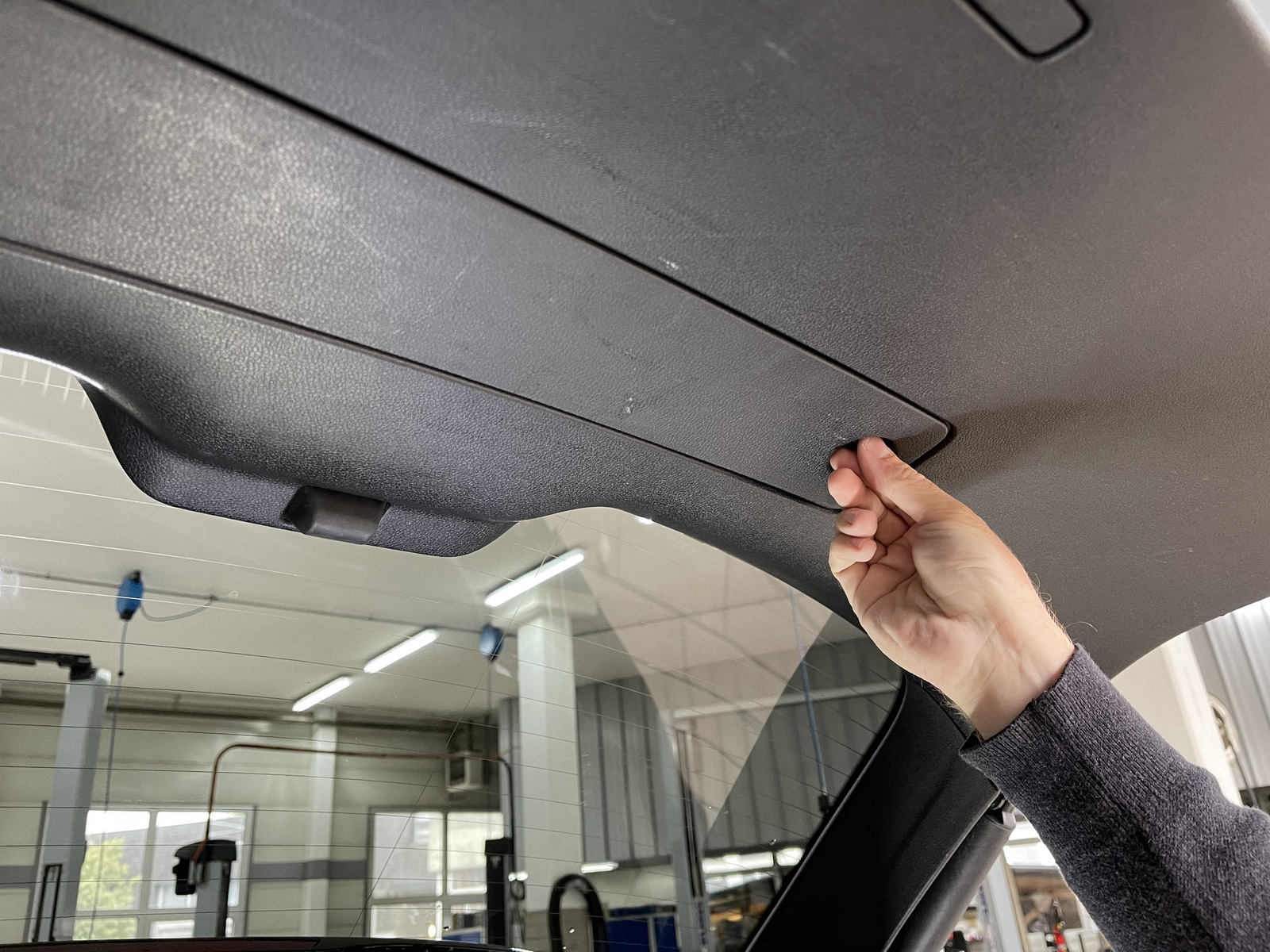
| 6. Open the safety triangle storage compartment. |
| Installation - Steps 7-9 | |
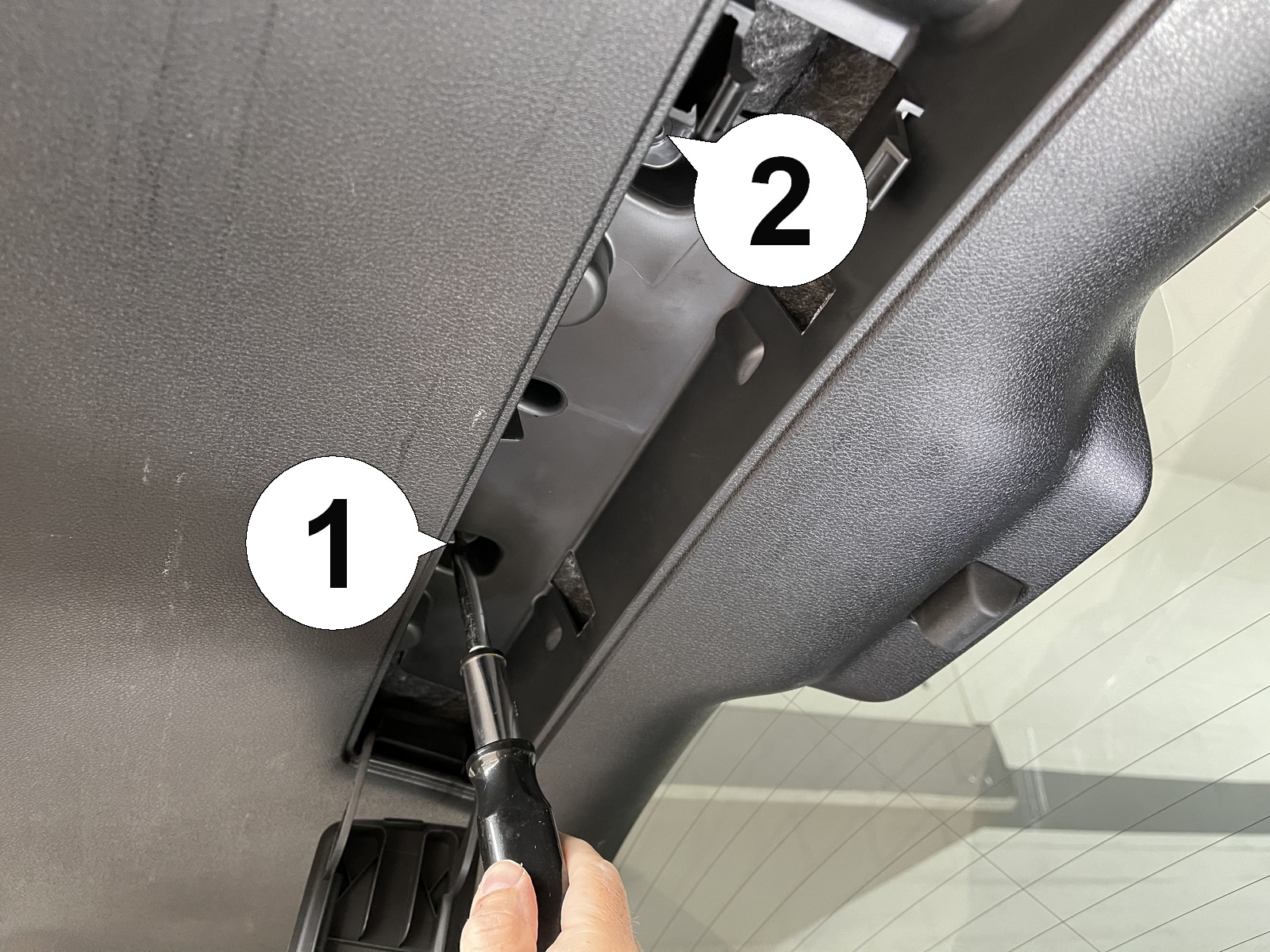
| 7. Remove the two screws (1) and (2) inside that compartment. |
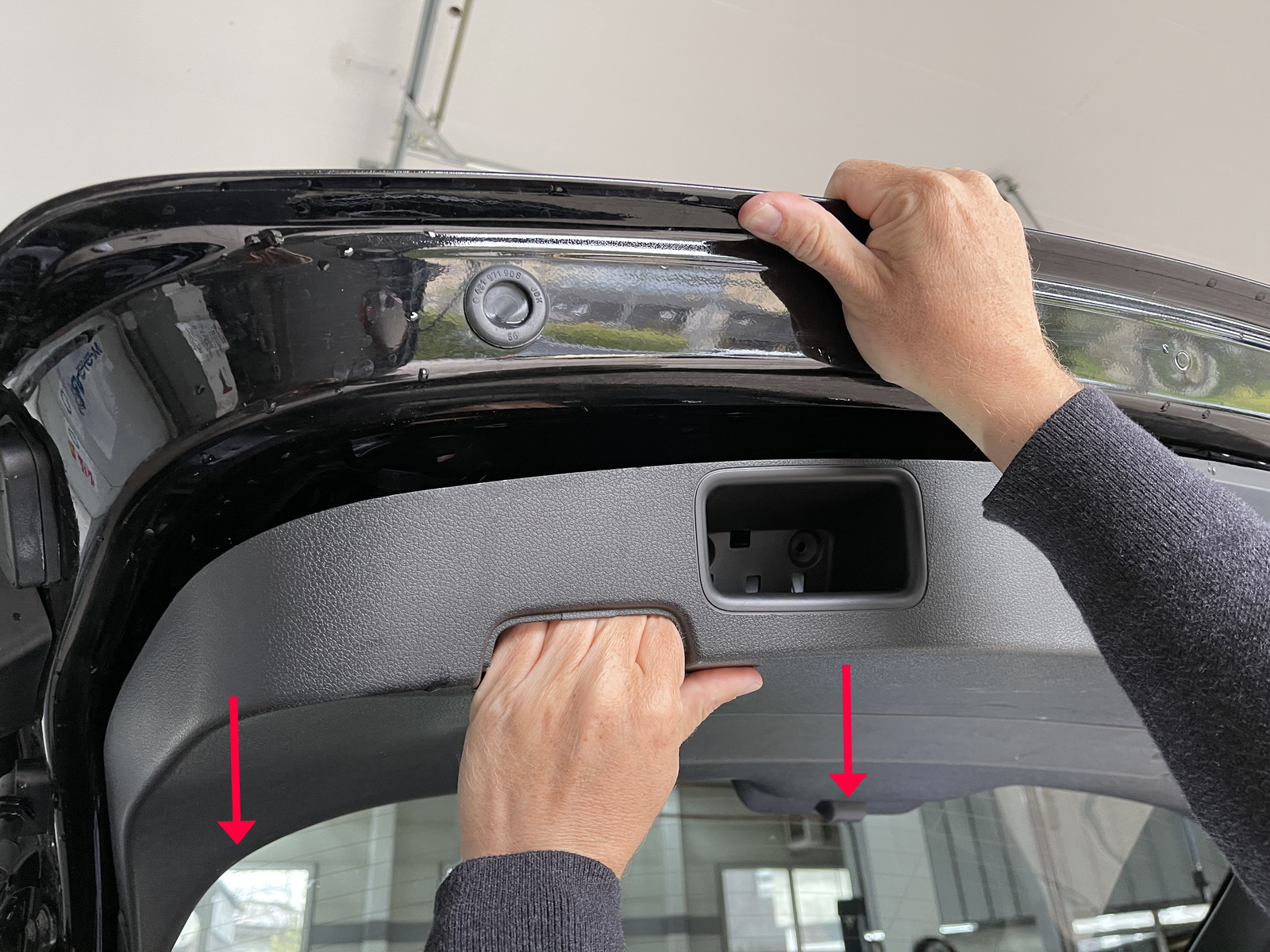
| 8. Grab in the reflector holes and pull straight down. The plastic cover is snapped into place in several places. |
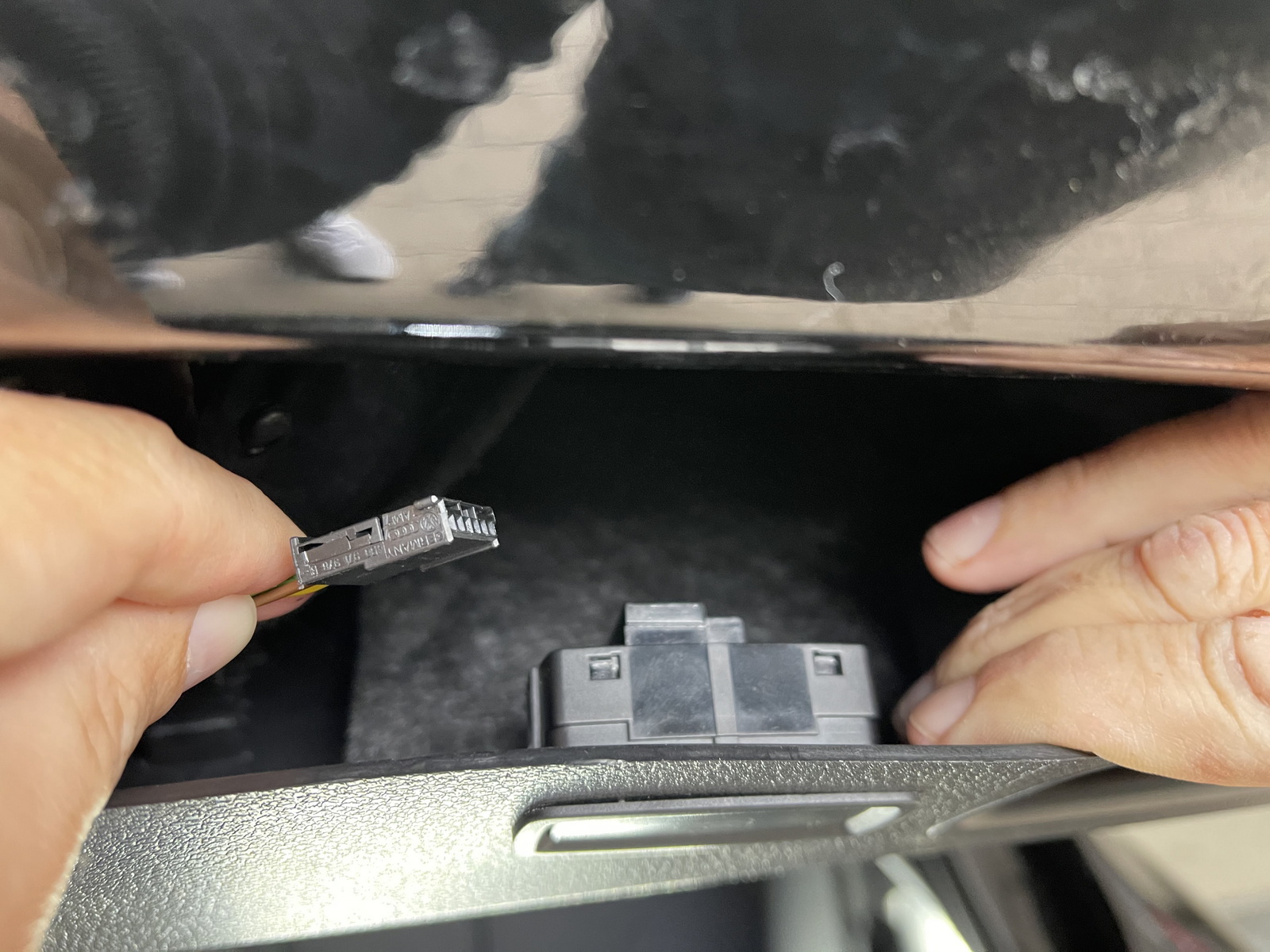
| 9. Disconnect the plug from the button panel. |
| Installation - Steps 10-12 | |
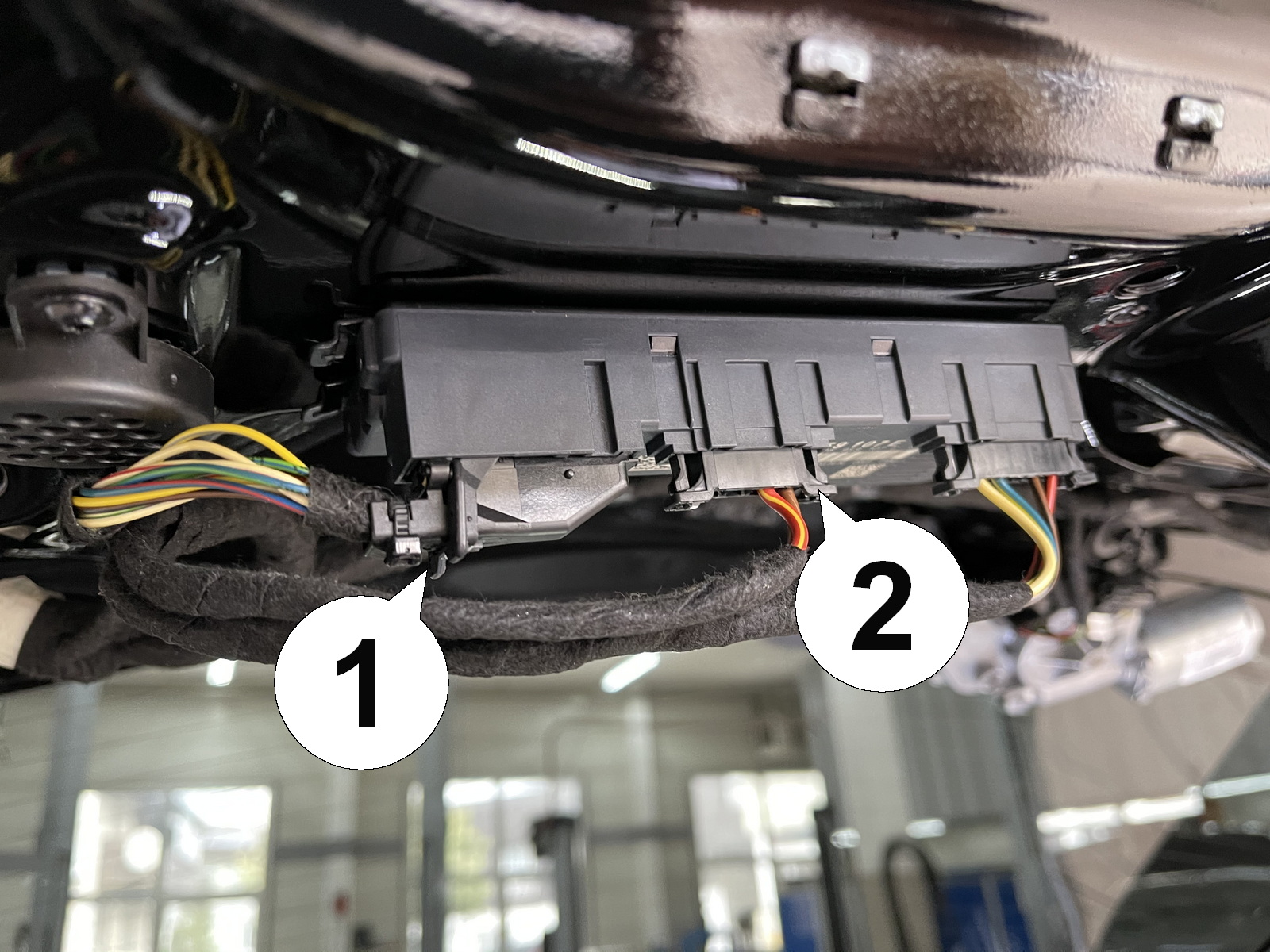
| 10. The plugs (1) and (2) on the trunk control module need to be removed. |
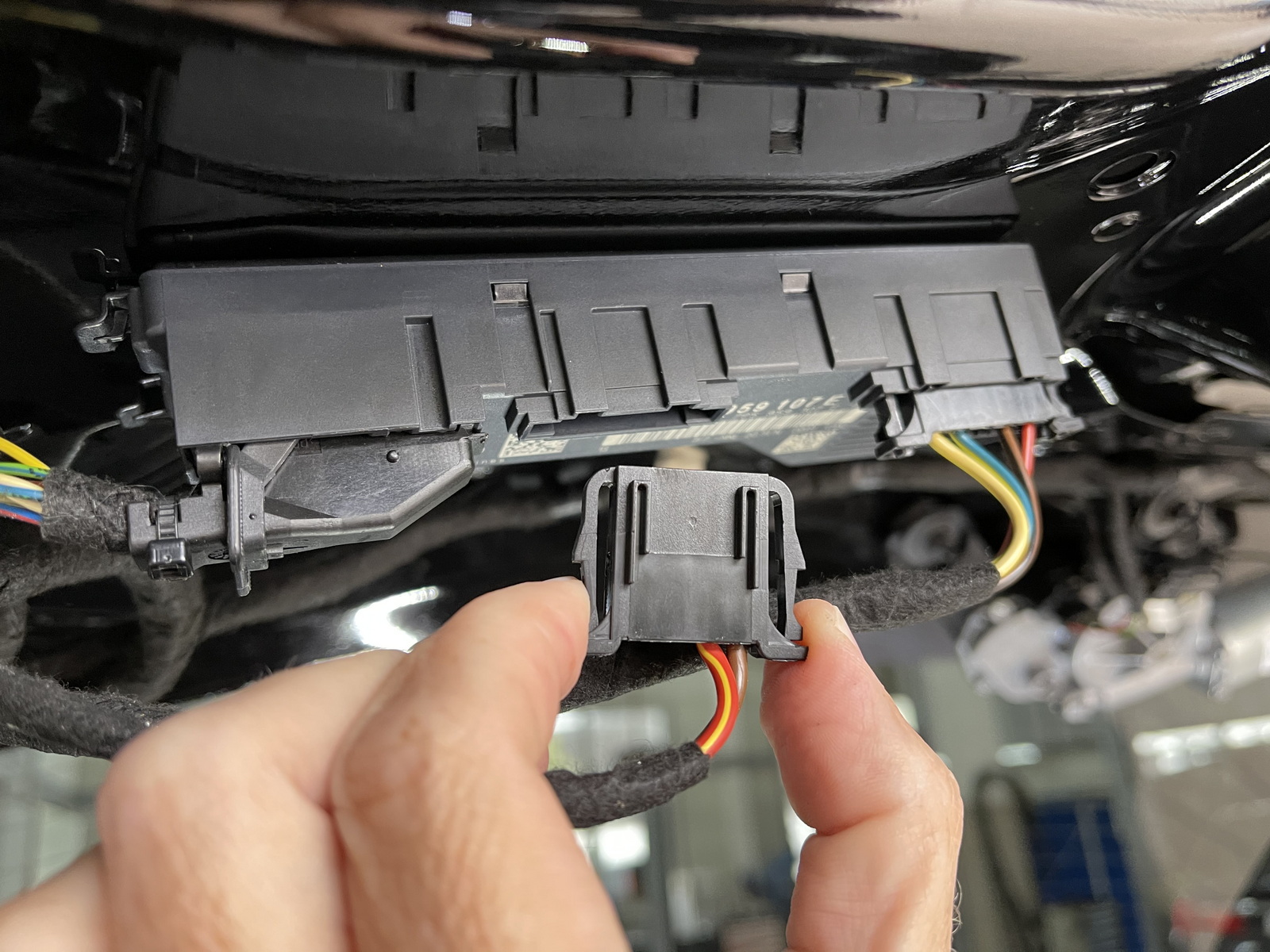
| 11. Squeeze the sides of the small plug while pulling it out. |
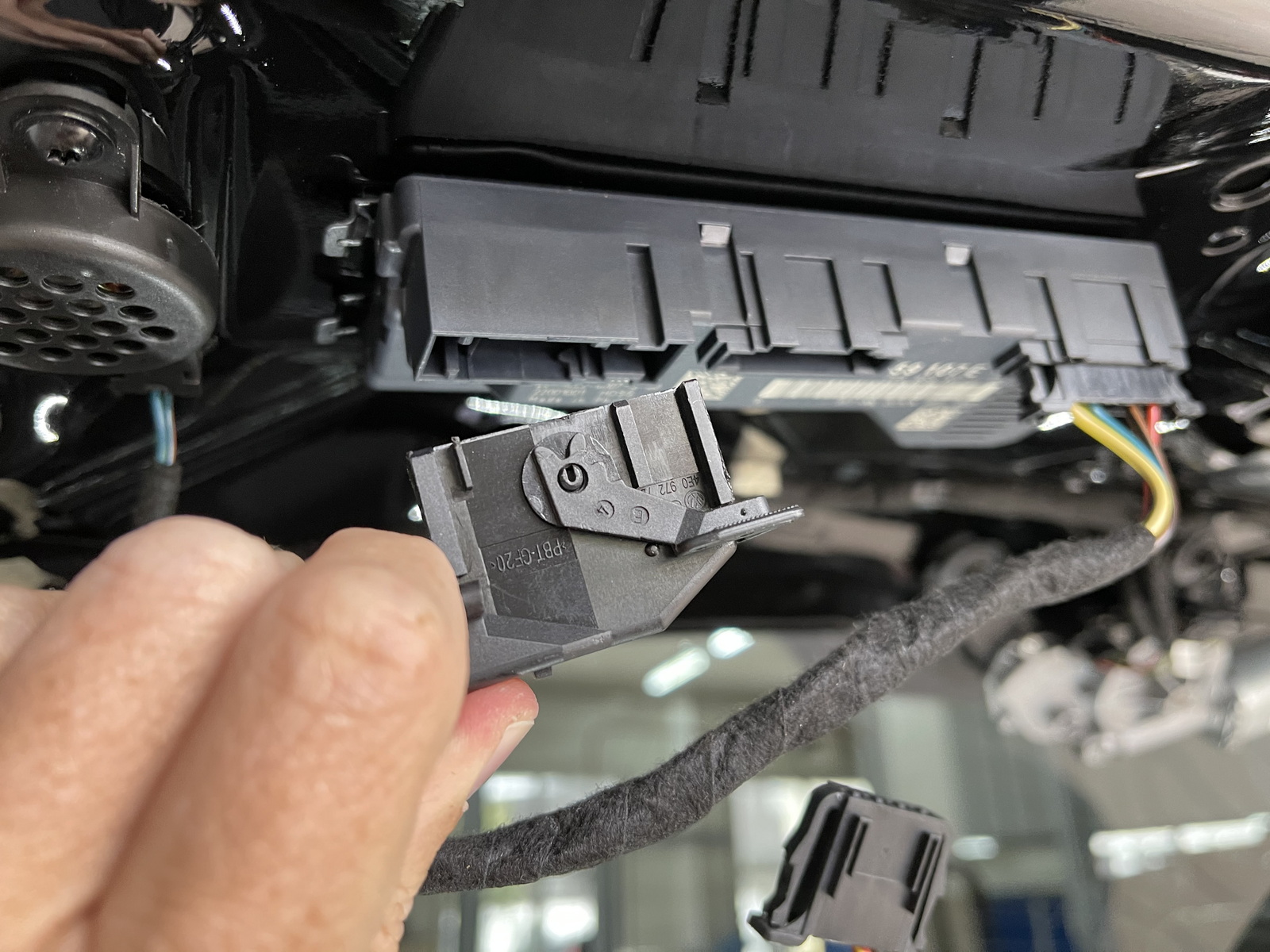
| 12. Move the locking lever over to the right on the larger plug to eject it. |
| Installation - Steps 13-15 | |
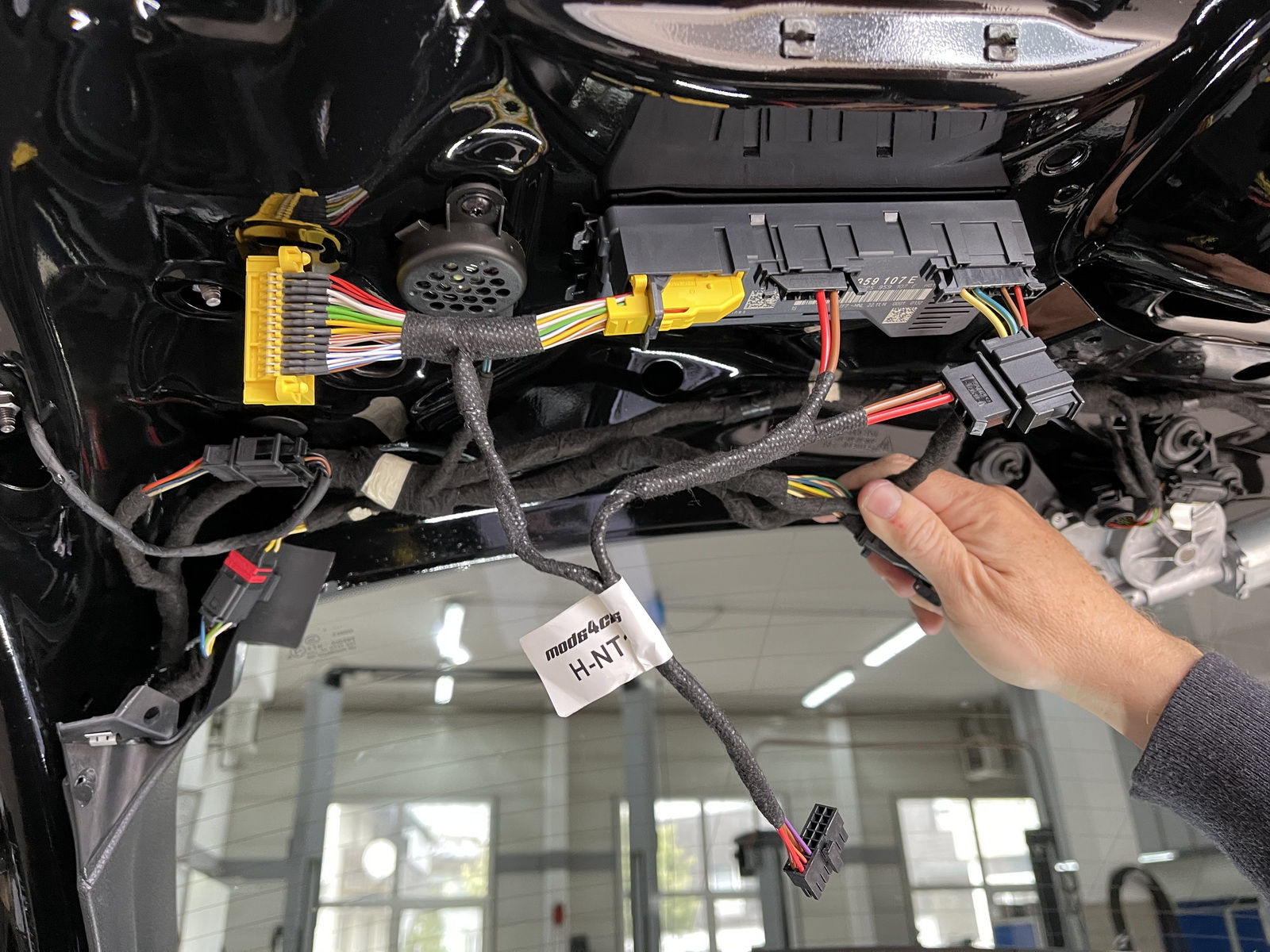
| 13. Connect the matching plugs from the supplied wiring adapter into the control unit as shown. |
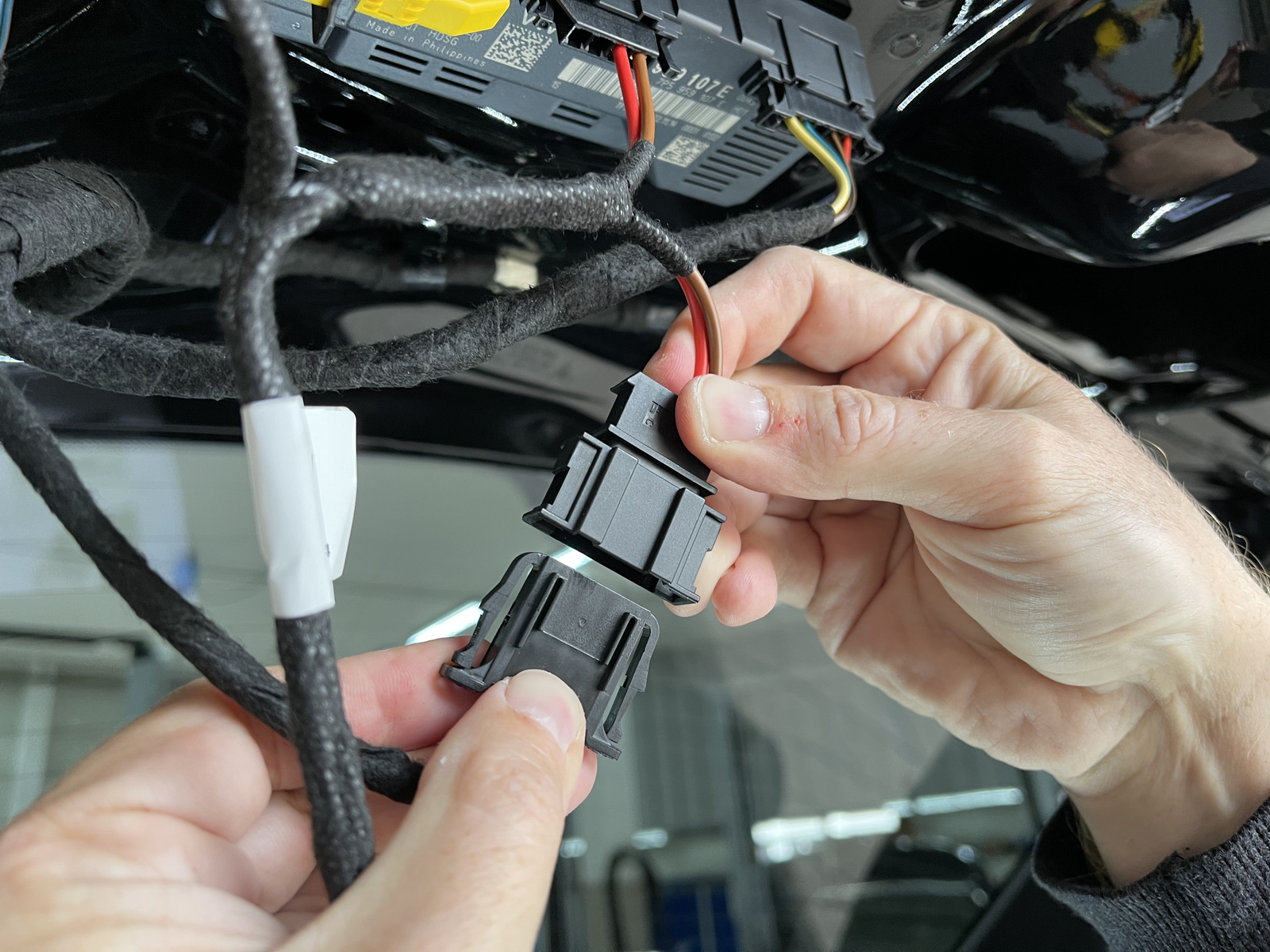
| 14. Now connect the original plugs to the matching sockets of the wiring adapter. |
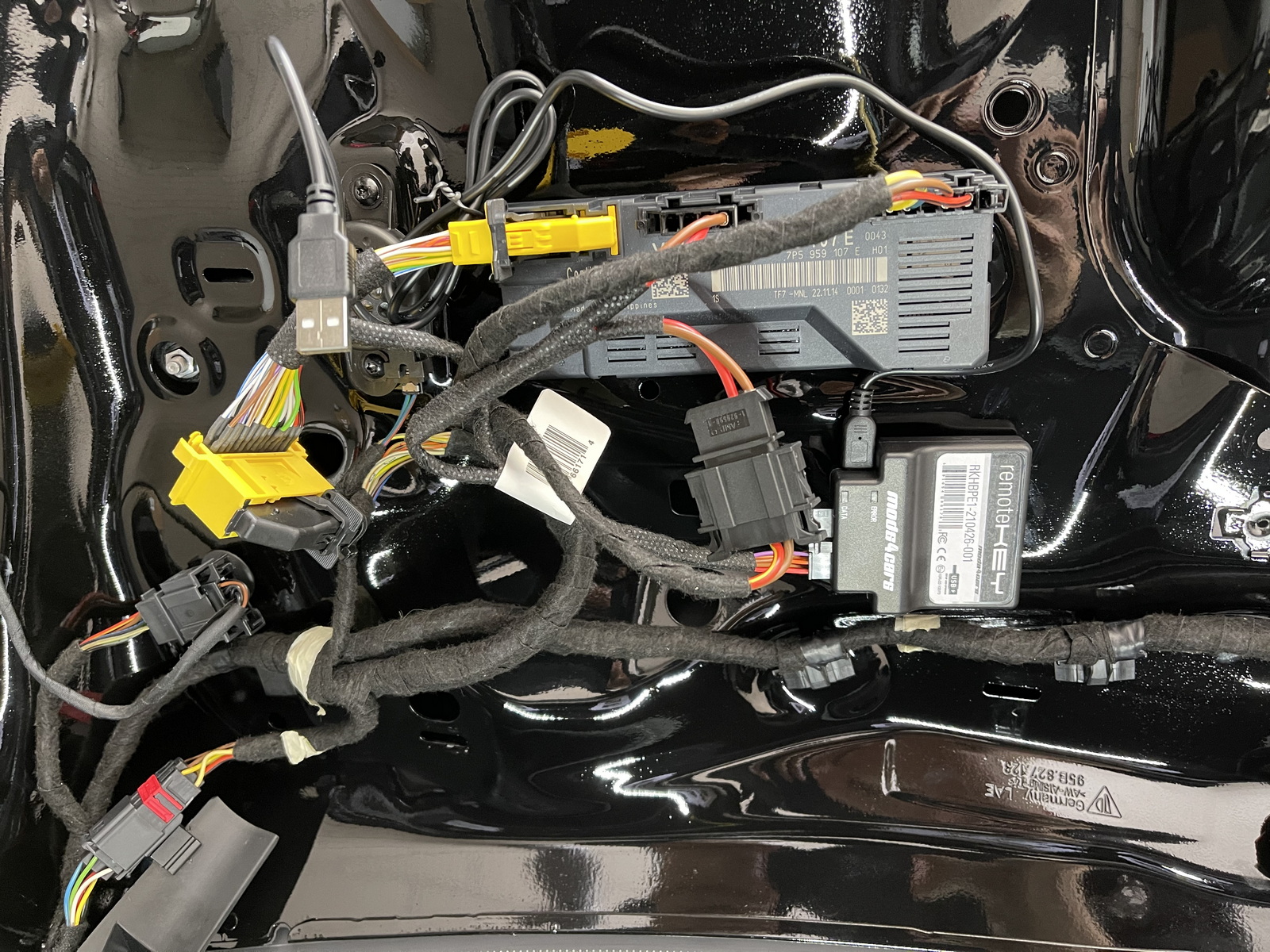
| 15. Connect the module to the wiring adapter, attach it with the supplied velcro and connect the USB cable to the module and run it to where you will be able to access it later. Configure the module according to the operation and programming manual. Re-assemble everything and insert the fuse. Don't forget to reconnect both button panels. You will need to manually close the trunk lid the first time for it to re-calibrate the end-position. |